r/Cameras • • Apr 29 '25

Looking for buying advice? Please read this before posting.

57 Upvotes

All camera purchase requests MUST include the questionnaire linked in rule 1.

QUESTIONNAIRE

Be sure to keep the formatting shown. Keep responses to each of the bullet points short and to the point. If you feel there are details that you want to include put them in the notes section of the questionnaire rather than adding them to the other bullet points.

Any post that doesn't include an actual amount under the budget will be removed. Posts that skip over other sections or do not follow the formatting may be removed at moderator discretion.


r/Cameras • • Nov 27 '25

Announcement Avoiding Scam Cameras this Holiday season!

81 Upvotes

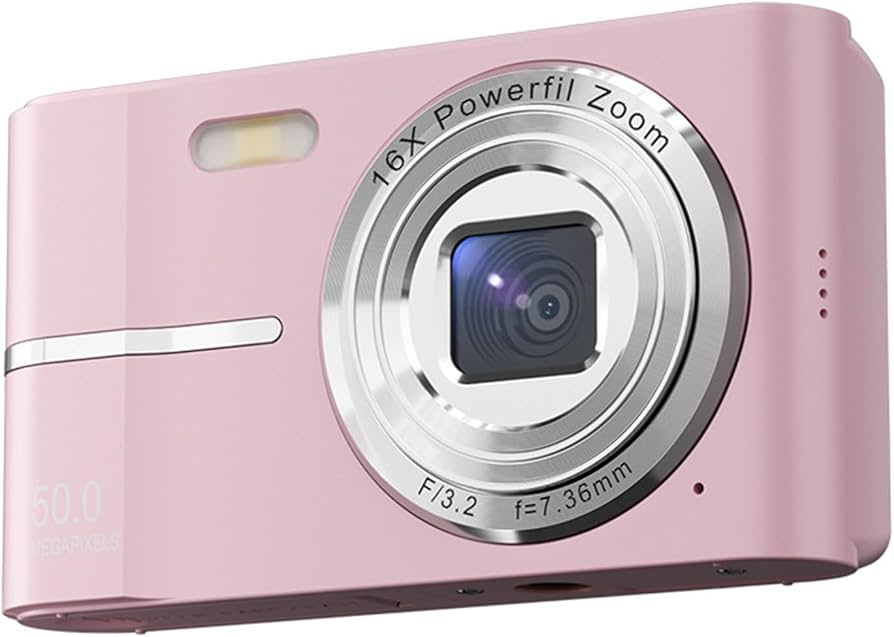
Especially since the pandemic we have been seeing cheap no-name cameras that offer unbelievable specs (50MP, 8k video), here is a guide on how to spot and avoid them!:

What is a Scamera?:
Scameras are cheap cameras, usually using backup/webcam camera modules, and putting them into shapes that look like camcorders, pocketable Point & Shoots, and interchangeable lens cameras. They often have very high specs, that are not genuine, such as 64MP upscaled from 1 to 4MP (so you get files the size of a 3.5k camera, but with the detail level of the original 2008 iPhone).

Scameras are also often very unreliable, the immense number of people coming here needing help fixing or just returning these cameras (especially post-christmas) is why I am making this post.

Scameras can often be distinguished by the miniscule lenses, I'll try to show that in a comment of this post.

A reliable way can be to check the brand:
Here are known non-scam brands:

Canon
Fujifilm
Hasselblad
Kodak (Kodak make cameras that are close in price to many scameras, and they aren't amazing or super reliable, but they are worlds better than scam brands).
Leica
Nikon
Olympus / OM Systems
Panasonic / Lumix
Pentax
Pixii
Ricoh
Sigma
Sony

Here are known scam brands:

AgfaPhoto (Digital cameras)
Kreate
Yashica
Vivitar
Yixinxin
Yatao
Captainbear
Minolta
NBD
G-Anica

Vivitar, Yashica, and Minolta were once real brands that have now gone bankrupt and the people renting their names sell scameras.
Agfa does make real film and film cameras, but also scam digital cameras.


r/Cameras • • 18h ago

Questions Wife wants a canon g7x like every other person who uses instagram.. i have a sony a6100. would getting a pancake lens for the a6100 simulate whatever people like about the g7x?

70 Upvotes

Topic title basically sums it up. My wife has been influenced and asked for a g7x. i obviously refuse to get it above retail but i could always sign up to get notified for drops or get on a queue to purchase locally at retail price.

But i wonder if an a6100 with a pancake lens would basically be what she wants in a g7x? i honestly don't know what it is about the g7x that is so appealing but any thoughts on how to make an a6100 with pancake be easy and get basic pictures like what she wants with the g7x?


r/Cameras • • 16h ago

Questions Does any one know if these are worth restoring? Any details appreciated!

Thumbnail
gallery
24 Upvotes

Trying to figure out if these are worth restoring and videographer but don’t know a whole lot about film cams


r/Cameras • • 13h ago

ID Request What is this mount? (Old Sony industrial/medical camera)

Thumbnail
gallery
13 Upvotes

I bought this Sony DXC-390P with a Fujinon TV Z VCL-616WEA thinking i was buying a C mount camera and lens. From all i read on the internet this camera should have a C mount and it only kinda does? The small thread on the 3rd photo looks like it but this whole screw bayonet mount around it is nothing i've ever seen. I'm trying to put this lens on a mirrorless (with a c mount speedbooster to make the image circle a little bigger) but i did not expect this lens to have such an odd mount. Does anyone know if any adapters for this thing exist? The screw on the lens is about 45mm in diameter. You put it on the camera and rotate the black ring on the camera (not the lens) to secure it in place.


r/Cameras • • 3h ago

Questions Nikon COOLPIX

Thumbnail
gallery
2 Upvotes

I was wondering if someone could help me find a charger and memory card for this guy. I’ve had him for so long and would love to finally use him. Thank you!


r/Cameras • • 38m ago

Recommendations Purchased recommendation - Canon Powershot S110 Replacement?? Buy another used or....???

• Upvotes

I am a "novice-enthusiast" and probably always havebeen and willbe haha.

I've used a Canon Powershot S110 as my digital toy for... probably 10+ years now (yikes) - I replaced one once for $80 when it had a lens error issue.

So I actually took it my camera to use for WORK and unfortunately the screen was damaged in its use- my boss has offered to replace or repair it which I appreciate. But it doesn't look like they're $80 anymore... and a brief chat with local camera shop says it is a $200+ repair if they can get the screen. I don't have a blank check from my employer but a comparable cost replacement or a repair is the guidance I've been given.

I've been out of this game for like a decade... What should I do here? Get another used S-series Canon for like $300? Just pony up and repair it? Should I be looking at anything else? I don't really need or care for WiFi, GPS, etc-- just want a good somewhat compact dedicated digital camera.

Thanks in advance for any thoughts or recommendations you may have.


r/Cameras • • 9h ago

Discussion New toy. Turning 50 next month and considering getting a Nikon Z FC. In the meantime I got the new Camp Snap 110 D.

Thumbnail
gallery
4 Upvotes

• ⁠Budget: $90
• ⁠Country: US
• ⁠Condition: New
• ⁠Type of Camera: Retro 110
• ⁠Intended use: Funsies
• ⁠If photography; what style: Lifestyle
• ⁠If video what style:
• ⁠What features do you absolutely need: point and click
• ⁠Portability: sure
• ⁠Cameras you're considering: Nikon Z FC
• ⁠Cameras you already have: Nikon D3200
• ⁠Notes: Hi


r/Cameras • • 14h ago

Recommendations Camera for a 6 year old

Post image
9 Upvotes

So my daughter is turning 6, and after a year of her shooting around with kid cameras, and seeing how good she does with the autofocus on my Fuji xe2, I decided I wanted to get her a upgrade that has atleast AF, and flash, preferably something light close to what she already has. I have this Olympus and this Sony laying around so I was wondering if that was a good option, or if you guys had any recommendations, something in pink or purple or blue would be a bonus lol. Her birthdays at the end of November so I still have time to order, any help is very appreciated!

(Top photos are her current cameras, the below are what I have as options currently)

• ⁠Budget: $100 I could go up a little

• ⁠Country: US

• ⁠Condition:

• ⁠Type of Camera: definitely wanna stick to digital

• ⁠Intended use: she mostly takes photos sometimes video

• ⁠If photography; what style:

• ⁠If video what style:

• ⁠What features do you absolutely need:AF, Flash

• ⁠Portability: pocketable is a plus


r/Cameras • • 16h ago

Other My Raspberry Pi Camera Final Build (R1 Mini)

Thumbnail
gallery
12 Upvotes

This will be a super long read so to those who get to the bottom then thank you!

Over the past month I have been working on this design and I now feel like it’s in a position where I can share how it was built, firstly I want to say that this is not a tutorial, there are a couple of things with the design that work ok after some tweaks but could be redesigned to work right after printing, therefore I want to treat this as a “how it was built” vs “how to build” post.

Exact specifications of the camera are as follows:

Case size: 100mm x 100mm x 100mm
Battery: 10,000mAh Mophie Powerstation
Camera module: Arducam IMX477 HQ
Mount: C/CS
Power output: 5V USB-C
Buttons: Sleep/Shutdown, FPS, ISO, W/B
Mainboard: Raspberry Pi 5 - 4GB RAM
Storage: 16GB SanDisk Micro SD
Ext Storage: Over 100mbps USB3.0 drive
Display: Waveshare 4” 720x720 HDMI
Battery life: Approx 8-9hrs idle - 5-6hrs Rec
Tilt sensor: MPU6050 accelerometer
Cooling: Raspberry Pi 5 Active Cooler

General design:
All parts were modelled in Autodesk Fusion with parts I mostly had on hand, I had to take extra care in adding ventilation to the correct places as I found the plastic to warp slightly if it got above 60 degrees, with the active cooler it now sits at no higher than 50-55 which is just on the limit but I haven’t encountered any issues so far. The battery sits on a “shelf” that is connected to the left side panel for easy access if disassembly is needed, a small cutout for the flat USB-C cable was also made so it also firmly holds the cable in place when removing or reinserting it. All side panels were made with a -1mm tolerance again for easier access when removing and M2 threaded heat inserts were used for all screws except the camera module. The Pi 5 and displays motherboard sit on another shelf at the bottom of the case which should allow for I2C usage for the screen (I couldn’t get mine to work for some reason but the pins align perfectly so I believe my unit may be defective for I2C), this allows for a cleaner design and lets the Pi sit higher for better cooling and IO access.

Assembly:
After all parts were printed, I installed M2 threaded heat inserts into the mounting points for the front, left, right and rear panels, also adding an additional 4 inserts for the display board and Pi 5 to screw into the case. The order of assembly was preparing the panels with their correct components such as for the front panel, screwing in the camera module and soldering the Dupont wires to the 3.3V Filament LED and press fitting it into the cutout at the top. I added a small drop of superglue to the wires to prevent them from pulling on the LED just in case. There is room to store any excess cable underneath the shelf that the Pi is mounted to so nothing should pinch against the case, I also made sure to connect both the USB-C power cable and HDMI to Micro HDMI adapter to the Pi (the adapter comes with the waveshare display and also fits perfectly as you can use the standoffs from the screen) and attached the displays USB-C power cable and routed it under the shelf at the bottom. The front panel was then able to be mounted using the 4 M2 screws.

I then moved to the rear panel as I needed as much access as possible for the GPIO pins so I left the side panels and display till last, I attached the 4 buttons and the USB-C output to the rear panel, for easier assembly I used a 60mm x 10mm magnet and attached all ground wires to it leaving one Dupont cable ground wire for the GPIO to prevent having too many cables in the system, all other cables were then routed to their correct GPIO pins, the USB-C output jack simply uses the 5V and any GND GPIO pin. Just for fun I also added a small vibration motor from an Xbox controller trigger to create a small haptic when a button is pressed or when a USB drive is inserted but this does need to be mounted to a part of the case and not a side panel. I then routed the cables as neat as possible in front of the GPIO (Making sure no wires come into contact with the active coolers fan) and mounted the panel to the case exactly the same as the front panel.

I then moved onto installing the display, out of the box the display and driver board are attached with very strong adhesive, I removed this from my unit so they were separate as it now sits under the pi, this is an EXTREMELY difficult task and I advise to take extra caution if you are to try this as you do run the risk of destroying the screen, the display also doesn’t use the typical DSI ribbon cable that connects to the pi, so you will need a 51-pin extension cable with a 0.3mm pitch followed by an adapter to reattach it to the screen. The extension cable can be routed again under the display board through the shelf so it comes out of the front of the unit and behind the camera module. For easier assembly I attached the extension cable to the driver board and then left the adapter attached to the screen. I then peeled the adhesive backing off and seated the screen into the top of the unit making sure to attach the cables in their correct orientation.

The left side panel was now ready to be installed making sure to insert the 90 degree USB ribbon cable from the display board into the lower USB2.0 Port on the Pi and flat USB-C cable from the Pi through the hole on the side of the battery shelf, this way the battery can be installed from the right side ensuring a snug fit once assembled, I left a very short amount of cable before sliding the battery in to make sure it had a cleaner look. (When sliding in the panel I had to make sure not to snag any cables including the display ribbon cable, I went through the right side of the unit to lift the display cable above the battery so it wouldn’t pull on them when it was slid into place. (I printed a small cover as seen on the left side of the unit to cover the USB plug for the screen)

Finally the right side panel needed to be prepared, this has a cutout for an extension button that connects to the Pi’s power button, this is where my design was slightly flawed, under load the Pi will sit at anywhere from 50-55 degrees, so as I printed my parts with PLA, I started to see the button warping and no longer making contact, I chose to print the button from ABS although I could have tweaked the design to make the button baseplate thicker as it is quite thin, however I haven’t seen any warping since using a different material. Since the button pivots up towards the Pi’s button, there is a small plastic block that holds the button in place at the very top of the button baseplate, this was mounted in the centre but again the button did not work correctly, since moving the block it works perfect every time.

Software:
The system runs ApertarOS which allows for easy external button management and also rotary encoders if you want to add any other accessories, it also features a Web GUI, WiFi management, multiple camera module support including IMX477, IMX585, IMX294 etc… and a magnitude of other features, to see everything related to the software check out their GitHub page as there has been so much development and time spent on making the software what it is now. There is great support for it too, any issues I encountered during setup or making adjustments were always solved by the community. The software is also updated fairly frequently to bring even more new features and bug fixes runs very smoothly on a 4GB Pi, Apertar do say you can potentially use a 2GB Pi but this is best used as a photo only camera.

https://github.com/Apertar-Studio

I made some tweaks to the software to map the buttons to their correct functions and GPIO pins, added a custom splash screen for the logo of my camera on startup and shutdown and also added the cameras name in the metadata of the images.

As mentioned above, there is a small vibration motor attached to the unit, this was made as a separate service on the Pi to detect button presses and emits a small 130ms pulse when a button is pressed, holding the ISO button for 2 seconds will send it back to “Auto” and subsequently the vibration motor will emit a 230ms pulse to indicate it is complete. When inserting a USB drive into the Pi again the motor will emit 2 400ms pulses. (Of course during recording the motor is disabled to prevent any frame shakes)

The status light also has a few functions such as blinking during recording and turning on and off when pressing the power button at the back. I removed the blinking during photo capture as it made no sense to have it anymore.

The power button at the back runs on a separate script, pressing once will make the display go into a “sleep mode” and pressing again will wake it up, as mentioned above the LED also turns on and off with the display, pressing and holding for 3 seconds will perform a safe shutdown on the Pi.

The supported resolutions for the IMX477 are 1332x990, 2028x1080 and 2028x1520, this is a limitation of that certain module, the IMX585 and IMX294 are both to my knowledge capable of 4K output. In 1332x990 and 2028x1080 modes you can select from 24,25,30,50 and 60 FPS however in 2028x1520 you can only select 24,25 and 30 FPS, again better modules will support higher framerates.

You also get the option to take still images as RAW DNG, PNG, TIFF, JPEG or to add a RAW DNG to any other file type. Video mode records in cDNG stills which can be compiled and edited through Davinci Resolve.

The camera also supports input and output devices although I have not tested them yet, I believe on my camera they will work through the USB3.0 ports.

As a final touch I added button labels to the back of the unit and a serial plate to the side with the Pi information, mount type, build date and revision number, then installed the Smallrig cheese plate to the bottom of the case, this is attached by 2 1/4-20 screws.

Again I would like to say I don’t class this as a tutorial but rather how I built it, if you decide to build one for yourself please DM me and I will be more than happy to send over the STEP files but please keep in mind that I have made some changes to the parts post printing so there are some things that may fit different or need tweaking. Also if I have missed out anything in this post please ask away in the comments and thank you for the positive feedback from my previous two builds! I will add pictures from the camera in the comments soon.

r/Cameras • • 4h ago

Questions Where to dig for detailed specs around the sensors used in smartphones?

Thumbnail
1 Upvotes

r/Cameras • • 4h ago

Questions Should I get rid of the brand new video camera I bought and just stick with my 10+ year old mirrorless camera.

0 Upvotes

First of all, I apologize for my lack of knowledge on the subject. I am learning.

So, I am an artist and I am wanting to make some artsy short form content of my well... art.

I went out and bought the instago 360 ultra. I liked that that it was small, came with all the bits and bobs, and most of all it was magnetic, so I could stick it to things. Also, I felt like I just needed something a little newer.

Truth is, the video sucked. I tried all the settings, imported it from the camera, from the card, to the computer, to the phone, everything. And it just sucked. I want to use a editing system like capcut being frankly the video footage is secondary and the art is first, but I still want it to look good, I just want it easy to edit on my phone.

I pulled out my old camera, a Sony Alpha 5100. I have two lenses. A FE 1.8/50 or something and the one it came with. I transferred the footage via dongle onto my phone, popped it into capcut and it looked IMO miles better. The issue is, is that it is an old camera. I took good care of it but the software is clunky, it uses micro usb to charge, it just isnt as streamlined as the other camera. Plus, it overheats.

Neither option is ideal tbh. I dont want to use my phone being I draw for long periods of time and want access to my phone. I dont want to use the big camera due to inconvenience, but I cant get the small camera to look good.

I have about another week to return the small camera. I bought it for around 600 with tax, SD card, etc. I dont know if I should keep it in hopes that maybe I can figure out how to use it, or If i should somehow make my old camera work.

In my head, I know that both options wont really work, but I need suggestions. What should I do? I do not want to spend more then I already have, but I am willing to return the small camera and buy another camera with that money. And please be nice, I have no clue what I am doing and I am trying to learn.

Edit - Adding questionnaire

Budget: ~ 600 USD

Country: USA

Condition: Any

Type of Camera: Any

Intended use: Cinematic Video

End use: TikTok

If photography: what style: n/a

If video what style: pretty shots of me making art

What features do you absolutely need: I want a flip out viewfinder (just in case I want to

What features would be nice to have:

Portability: I like it small, but it doesn't have to be micro,

Cameras you're considering: I would like Sony so I can use the lenses I have

Cameras you already have: Sony a5100

Notes: see above


r/Cameras • • 4h ago

Questions Student discounts on buying Canon R50?

0 Upvotes

Hi everyone, I’ve been recently trying to get back into photography by buying a new Canon R50, and wanted to know if there was any camera stores/sellers who do good student discounts. I don’t mind if I buy it new or used. Obviously if I buy it used I would love for a good condition but I really just want to save as much as I can. Is Black Friday good for deals as well? I don’t mind waiting. I am in the UK for reference


r/Cameras • • 8h ago

Questions OM system OM- II suitable for macro, landscape, and astro??

2 Upvotes

Looking into upgrading from a canon rebel T5 eventually and was looking into the OM-II.

Looking to do Macro mainly but very interested in Asto photography as well as landscape.

Would this camera be suitable for all 3?

I'm also aware that the lens makes a huge difference depending on the situation.

Any info, opinions, and suggestions are welcome!


r/Cameras • • 9h ago

Questions Best mirrorless camera for 400/500€ new or used in 2026?

2 Upvotes

Hi everyone! I’m looking to buy a mirrorless mostly for two reason:
1) I would like to start taking pictures while traveling
2) I would like to completely swap my iPhone 14 Pro that I currently use for daily photos for social media of my Businnes. Mostly product photos (wine bottles) landscapes (vineyard) and other.

Budget: 400/500 EUROS both camera + 1 lens
• ⁠Country: Italy
• ⁠Condition: new or used
• ⁠Type of Camera: mirrorless
• ⁠Intended use: travel photos and everyday social + commercial photos for my activity
• ⁠If photography; what style: still life, landscape, nature
• ⁠If video what style: short videos for social media
• ⁠What features do you absolutely need: don’t really know
• ⁠Portability: if it’s smaller it’s better
• ⁠Cameras you're considering: no idea
• ⁠Cameras you already have:
• ⁠Notes: not proper beginner, used to shoot in manual with an entry level Nikon reflex few years ago.


r/Cameras • • 5h ago

Discussion Camera or Camcorder?

0 Upvotes

I have a Canon 80D DSLR with a Tamron 16-55MM F2.8 lense. Lately since my son was born I want to record nice-quality videos. I know I have a phone that can do videos. But I want it different. I remember back growing up my dad always pulled out the VHS camcorder and recorded us opening presents. That’s what I miss. I was looking around at some 4K video cameras and just wondering what everyone is using if any one has camcorders? I know my 80D can record video but I wanted something more different.


r/Cameras • • 5h ago

Other I MADE THE FIRST SILENT SHUTTER A6000 IN THE WORLD (with ai)

Enable HLS to view with audio, or disable this notification

0 Upvotes

Hi! Im working on this, i think is very intersting project and its open to anybody to work and modify things on it!


r/Cameras • • 5h ago

Recommendations Looking for upgrade recommendations

1 Upvotes

• ⁠Budget: ~$1000(including kit lens)
• ⁠Country: US
• ⁠Condition: new
• ⁠Type of Camera: mirrorless or full frame(probably out of budget)
• ⁠Intended use: automotive photography, moving and stationary, portraits
• ⁠If photography; what style: automotive, portrait
• ⁠If video what style:
• ⁠What features do you absolutely need: autofocus, burst shooting, I would like a flip out screen but not necessary
• ⁠Portability: not much preference, typical dslr size-ish
• ⁠Cameras you're considering: canon t7, canon r50, looking into Sony as well, but haven’t researched as much
• ⁠Cameras you already have: canon t2i, canon t70 film
• ⁠Notes: I’ve been shooting on my t2i for around 6 months now, and I think I’m at the point where I can justify upgrading to something newer, I’m just not entirely knowledgeable on the specs side of cameras. I was looking at the t7 because it’s the closest to what I already know, but I only have one EF lens anyway so I’m fully open to brands.


r/Cameras • • 6h ago

Questions Nikon D7000 or Sony A5000 as a beginner camera?

1 Upvotes

Hi everyone, I am new to photography and want to get my first camera, I have a budget of around 200 US dollars an I was recommended these two cameras but other model recommendations are appreciated.

I wont be shooting anything extreme, but I would prefer a camera that does better in low light situations and is good enough for 1080p video.

Please let me know which of the two would be better or if there is a better option, Thanks!


r/Cameras • • 7h ago

Questions Natural colors

0 Upvotes

Hello which camera produces the most natural colors for landscapes I'm curious


r/Cameras • • 13h ago

Questions Smth in my viewfinder

Post image
3 Upvotes

I was going out to tase some pictures. I tried looking into the viewfinder and I found that black dot there. I was like ah that just needs to be cleaned, I tried but it still didn’t go away. It doesn’t appear on the lcd or the photo but it’s really annoying to have this. ( I hope you guys can see it). I’m sorry I forgot to mention it’s a canon eos 4000d.


r/Cameras • • 7h ago

Recommendations Camera Recommendations for Undergrad Research

1 Upvotes

Hi everybody!

I am an undergraduate researcher studying chemistry and chemical engineering.

Some background: The lab I am apart of is studying the mechanical properties of different tissues, specifically those that tend to stretch and contract like bladder, heart, and muscle. In order to do so we are using hydrogel structures to model the shape of the tissues we will be growing. To create these structures we use special 3D printed molds that utilize water tension to hold unusual shapes.

It's important that we have a record of each of the structures and molds, so I've been place in charge of finding a camera for use in the lab to take pictures and videos of our hydrogel molds and structures.

My PI asked that the camera be able to take videos and pictures and come with sort of set up that would allow us to record at an angle, from the side, and from a top down view.

We have budgeted $750 for the camera, though I'm certain my PI would be able to allocate more funding if necessary.

Any recommendations for the camera and any necessary equipment or gear that would allow for our desired photography and recording would be amazing!


r/Cameras • • 11h ago

Questions Recommendations for beginner but future proof

2 Upvotes

Budget: 2500-3000

Country: USA

Condition: New

Type of Camera: Mirrorless, DSLR

Intended use: Photography, video

If photography; what style: (landscape, street, sports, wildlife

If video what style: sports

What features do you absolutely need: weather sealing, articulating screen, dual card slots

What features would be nice to have:

Portability: How portable does it need to be?shoulder strap

Cameras you're considering: Don’t have any mind

Cameras you already have: N/A

Notes: pretty much first time user


r/Cameras • • 8h ago

Recommendations Camera recommendations?

1 Upvotes

Hey all, I've had a canon rebel t7 for about 2 years now and I think I'm ready to upgrade. I really want a mirrorless aps-c that's light and easy to walk around with. My budget is around $1600 and I would rather buy a camera body and lens separately instead of going with a kit lens. I want something that's a nice step up and something that will last me a good amount of time. Lens recommendations would also be nice. I mostly take photos while hiking and on nature walks, but not any crazy high zoom shots; mostly landscapes and shots of the trails I'm on. The 18-55 kit lens on my t7 is a good focal length for me, I'm just looking for an upgrade. I was sort of thinking maybe the canon r50 or Sony a6400 but I'd definitely appreciate some recommendations!


r/Cameras • • 14h ago

Discussion Snap Select: A free culling software for macs

Enable HLS to view with audio, or disable this notification

1 Upvotes

I am a hobbyist photographer and would click a lot of pictures on my trips, and going through them was a pain. To solve this problem I first wrote this software for myself 2 years back(yes it wasn't vibe coded), but the UI was extremely bad. I gave AI a shot at the UI and thought of sharing it with all of you.

Features

  • The app detects faces and draws color-coded boxes around them (green means good focus, and red means bad and some colors in between). This is for you to spot the focus of the images in an instant.
  • One-click zoom into the face: Put your mouse pointer in between the box and do a one-click zoom into and out of the face.
  • If you have an extra monitor, it will show all the faces zoomed in (in a grid) in the other screen, so no zooming in required.
  • AI image grouping: It groups similar images together and lets you skip the entire group with keyboard shortcuts.
  • Face grouping: It groups similar faces together (much like Google Photos does), and you can look at images of a particular person.
  • It supports almost all image formats and is fully customisable controls.
  • It is very snappy.

You can download the app and try all the above features for free. No login required, and none of your images are uploaded anywhere. The only thing I collect is some usage stats (basically, who is trying my app and what features they are using). This is only collected so I can know whether I should develop this further.

I also tried experimenting with a proofing flow (requires sign-up). The app lets you upload your photos to the Snap Select server, and then it gives you a link for your client to view and select the pictures. You can then see their selections and copy them to another directory. Your client can view images in full screen, group them by identities, and do a lot more. Use credit20 during signup to try this

Personally, I find all of this useful, but I don't know if any of you will. I am looking for any kind of feedback, the good or bad. You can try the app here

I have added a demo video - I am camera shy and my voice isn't good so I put my script through an ai voice generator - please bear with me on this.