r/pcmasterrace • • 5m ago

Discussion Just achieved an exceptional y-cruncher Pi-5B result of 105.808 seconds on my Core Ultra 9 275HX laptop

Post image
• Upvotes

This was done on an MSI Vector 16 HX AI, with 108.899 seconds total wall time, 88.50% multicore efficiency, and successful validation of all 5 billion digits. What makes this particularly impressive is that I'm using nothing but the laptop's completely stock cooling system, just two factory fans and seven heat pipes, with absolutely no external cooling modifications, in a room at 75°F (23.9°C). For perspective, my result is faster than several published stock-system y-cruncher 5B results, including the Ryzen 9 9900X (109.687 seconds), Ryzen 9 9950X (119.363 seconds), Ryzen 7 9850X3D (115.581-130.000 seconds), and Ryzen 7 9800X3D (143.891-152.563 seconds). It also beats a published Core Ultra 9 285K desktop result of 131.865 seconds. These are official published reference results from different test systems. They illustrate just how competitive this heavily tuned mobile processor can be against considerably more power-hungry desktop hardware. Achieving this level of computational performance with factory laptop cooling and a normal 75°F ambient temperature is an excellent demonstration of what careful BIOS, CPU, and memory optimization can accomplish. Windows 11 Pro was also heavily stripped down with my own custom PowerShell script that I created which modifies 300 different performance-focused aspects of the OS. Tuning details are below -

CPU

• Intel Core Ultra 9 275HX

• 24 cores / 24 threads

• 8 Performance cores + 16 Efficiency cores

Memory

• 32 GB Kingston Fury Impact DDR5

• DDR5-5600 overclocked to 6200

• Timings: 40-40-40-80

• Memory latency: 85.3ns (stock was 102ns)

GPU

• NVIDIA GeForce RTX 5080 Laptop GPU

• 16 GB GDDR7 VRAM

• Full 175-watt GPU configuration

• GPU overclocked +330mhz core/+4300mhz mem/+435mhz xbar/+130mhz sys/+400mhz video/0.9600 nvvdd+msvdd ratio

• Dedicated GPU mode enabled

Display

• 16-inch IPS-LCD

• 2560 × 1600 resolution

• 240 Hz refresh rate

Storage

• 1 TB primary SSD

Power

• 330-watt power supply

Bios Changes

1.) Enabled Overclocking at Advanced > Overclocking > Performance > Overclocking.

2.) Disabled Undervolt Protection at Advanced > Overclocking Performance Menu > Processor > Undervolt Protection.

3.) Disabled CFG Lock at Advanced > Power & Performance > CPU Power Management Control > CPU Lock Configuration.

4.) Disabled Overclocking Lock at Advanced > Power & Performance > CPU Power Management Control > CPU Lock Configuration.

5.) Enabled Intel VT-X at Advanced > CPU Configuration > Intel Virtualization Technology.

6.) Disabled Intel VT-D at Advanced > VT-D.

7.) Set the P-Core Ratio Limit to 57x at Advanced > Overclocking Performance Menu > Processor > P-Core Ratio Limits.

8.) Enabled Per-Core Ratio Override and set the individual P-Core ratio limit to 57x at Advanced > Overclocking Performance Menu > Processor > P-Core Ratio Limits.

9.) Set the E-Core Ratio Limit to 47x at Advanced > Overclocking Performance Menu > Processor.

10.) Set the P-Core Voltage Offset to -40 mV at Advanced > Overclocking Performance Menu > Processor.

11.) Set the E-Core Voltage Offset to -40 mV at Advanced > Overclocking Performance Menu > Processor > VF Configuration Scope > Per Core.

12.) Set the Ring/P-Cache Voltage Offset to -90 mV at Advanced > Overclocking Performance Menu > Ring.

13.) Set the Ring Ratio to 39x at Advanced > Overclocking Performance Menu > Ring.

14.) Set the System Agent Voltage Offset to -20 mV at Advanced > Overclocking Performance Menu > SA.

15.) Enabled Power Limit 1 Override and set Power Limit 1 to 140000 at Advanced > Power & Performance > CPU Power Management Control.

16.) Enabled Power Limit 2 Override and set Power Limit 2 to 220000 at Advanced > Power & Performance > CPU Power Management Control.

17.) Disabled PCIe Gen Speed Downgrade at Advanced > Power & Performance > CPU Power Management Control.

18.) Set tREFI to 40000 at Advanced > Overclocking Performance Menu > Memory Timings.

19.) Set tRFC to 620 at Advanced > Overclocking Performance Menu > Memory Timings.

20.) Set tRRD-L to 12 at Advanced > Overclocking Performance Menu > Memory Timings.

21.) Set tWTRL to 24 at Advanced > Overclocking Performance Menu > Memory Timings.

22.) Set tCCD-L to 12 at Advanced > Overclocking Performance Menu > Memory Timings.

23.) Set tCCD-L-WR to 48 at Advanced > Overclocking Performance Menu > Memory Timings.

24.) Set tWRTS to 6 at Advanced > Overclocking Performance Menu > Memory Timings.

25.) Set tRTP to 18 at Advanced > Overclocking Performance Menu > Memory Timings.

26.) Disabled Secure Boot at Security > Secure Boot > Secure Boot.

27.) Disabled CPU C-States at Advanced > Power & Performance > CPU Power Management Control > CPU C-State Control > CPU C-States.

28.) Enabled Re-Size BAR Support at Advanced > PCI Subsystem Settings > Re-Size BAR Support.

29.) Disabled Energy Efficient P-State at Advanced > Power & Performance > CPU Power Management Control > View/Configure Turbo Options > Energy Efficient P-State.

30.) Set MSI BIOS User Scenario Mode to Performance.

31.) Changed the memory ratio from the default 168/5600 MT/s setting to 186/6200 MT/s.

32.) Disabled HWP Autonomous EPP Grouping at Advanced > Power & Performance > CPU Power Management Control.

33.) Disabled SA GV at Advanced > System Agent (SA) Configuration > Memory Configuration > SA GV.

34.) Disabled DDR Power Down Mode at Advanced > System Agent (SA) Configuration > Memory Configuration > Power Down Mode.

35.) Set Audio DSP Compatibility Mode to UAA HDA Inbox Audio Mode at Advanced > PCH-IO Config > Audio DSP Comp Mode.

36.) Disabled Wake On Voice at Advanced > PCH-IO Config > HD Audio DSP Features Config.

37.) Disabled Codec Based Wake On Voice at Advanced > PCH-IO Config > HD Audio DSP Features Config.

38.) Disabled Intel SST Speech at Advanced > PCH-IO Config > HD Audio DSP Features Config.

39.) Disabled Custom Module Beta at Advanced > PCH-IO Config > HD Audio DSP Features Config.

40.) Disabled Custom Module Gamma at Advanced > PCH-IO Config > HD Audio DSP Features Config.

41.) Disabled Audio DSP at Advanced > PCH-IO Config > HD Audio DSP Features Config.

42.) Enabled Legacy IO Low Latency at Advanced > PCH-IO Config.

43.) Disabled all three LPM SO options at Advanced > PCH-IO Config.

44.) Disabled PCH LPM at Advanced > PCH-IO Config.

45.) Disabled ASPM on PCI Express Root Port SPA1 and the remaining PCIe root ports at Advanced > PCIe Config.

46.) Disabled Advanced Error Reporting on PCI Express Root Port SPA1 and the remaining PCIe root ports at Advanced > PCIe Config.

47.) Disabled CCF AutoGV at Advanced > Power & Performance > CPU Power Management Control.

48.) Disabled Power Floor Management at Advanced > Power & Performance > CPU Power Management Control.

49.) Disabled Race To Halt (RTH) at Advanced > Power & Performance > CPU Power Management Control.

50.) Disabled HwP Autonomous Per Core P State at Advanced > Power & Performance > CPU Power Management Control.

51.) Disabled the NPU at Advanced > System Agent.

52.) Disabled Low Power S0 Idle Capability at Advanced > RC ACPI Settings.

53.) Disabled RC6 Render Standby at Advanced > Power & Performance > GT-Media Power Management Control.

54.) Disabled Global DDR RFI Mitigation at Advanced > System Agent Configuration > Memory Configuration > RFI Setting.

55.) Disabled HWP Lock at Advanced > Power & Performance > CPU Power Management Control.

56.) Disabled Global DLVR RFI Mitigation Control at Advanced > Power & Performance > CPU Power Management Control > CPU VR Settings > RFI Settings.

57.) Disabled VTIO Support at Advanced > Platform Settings > VTIO, although this setting currently appears to re-enable itself automatically.

58.) Disabled ACPI D3Cold Support at Advanced > ACPI D3Cold Settings.

59.) Set ADMA to Force ADMA at Advanced > SDIO Config.

60.) Disabled DMI ASPM at Advanced > DMI Config.

61.) Disabled DMI Link ASPM Control at Advanced > DMI Config.

62.) Disabled DMI L1SS at Advanced > DMI Config.

63.) Disabled Legacy UART at Advanced > Debug Config.

64.) Set SoundWire Codecs Topology to Default at Advanced > PCH-IO Config > HD Audio Config.

65.) Disabled DMIC #0 at Advanced > PCH-IO Config > HD Audio Config.

66.) Disabled Energy Efficient Turbo at Advanced > Power & Performance > CPU Power Management Control > View/Configure Turbo Options.

67.) Disabled Core PS3 at Advanced > Power & Performance > CPU Power Management Control > Efficiency Performance VR Settings.

68.) Disabled Core PS4 at Advanced > Power & Performance > CPU Power Management Control > Efficiency Performance VR Settings.

69.) Disabled SA PS3 at Advanced > Power & Performance > CPU Power Management Control > SA VR Settings.

70.) Disabled SA PS4 at Advanced > Power & Performance > CPU Power Management Control > SA VR Settings.

71.) Disabled GT VR PS3 at Advanced > Power & Performance > CPU Power Management Control > GT VR Settings.

72.) Disabled GT VR PS4 at Advanced > Power & Performance > CPU Power Management Control > GT VR Settings.

73.) Set DMI Max Link Speed to x4 at Advanced > DMI Config.

74.) Disabled USB XHCI Hand-Off at Advanced > USB Config.

75.) Disabled S0ix Auto Demotion at Advanced > PCH-IO Config.

76.) Disabled WDT Enable at Advanced > Overclocking Performance Menu.

77.) Disabled PTID Support at Advanced > RC ACPI Settings.

78.) Set PCIe Delay Between _OFF and _ON to 50 ms at Advanced > RC ACPI Settings.

79.) Disabled MC6 Media Standby at Advanced > Power & Performance > GT/Media Power Management Control.

80.) Disabled PAVP at Advanced > System Agent (SA) Configuration > Graphics Configuration.

81.) Disabled PMC Watchdog Timer at Advanced > PCH-IO Config > PMC Config.

82.) Disabled 8254 Clock Gate at Advanced > PCH-IO Config.

83.) Disabled PET Progress at Advanced > AMT Config > ASF Config.

84.) Disabled Crashlog Feature at Advanced > Debug Settings > Crashlog Settings.

85.) Disabled Three Strike Counter at Advanced > Debug Settings > Advanced Debug Settings.

86.) Enabled PCI-E Delay Optimization at Advanced > RC ACPI Settings.

87.) Disabled Per Core P State OS Control Mode at Advanced > Power & Perf > CPU Power Mgmt Control.

88.) Disabled OS Idle Mode at Advanced > PCH-IO Config.

89.) Disabled GPE1 Support at Advanced > Platform Settings.

90.) Lowered Data On Active Interval Select SNDW (all) to 6 at Advanced > PCH-IO Config > HD Audio Config > HD Audio Advanced Config.

91.) Lowered Data On Delay Select SNDW to 2 (all) at Advanced > PCH-IO Config > HD Audio Config > HD Audio Advanced Config.

92.) Disabled BT Low Energy at Advanced > PCH-IO Config > HD Audio Config > HD DSP Features Config.

93.) Set iDisplay Audio Link T-Mode to 1T at Advanced > PCH-IO Config > HD Audio Config > HD Audio Advanced Config.

94.) Set NGU Ratio to 30x at Advanced > Overclocking Performance Menu > NGU.

95.) Set OC Ratio to 30x at Advanced > Overclocking Performance Menu > NGU.

96.) Set D2D Ratio to 30x at Advanced > Overclocking Performance Menu.

97.) Enabled Switch Off DMI Power Gating at Advanced > DMI Config.

98.) Disabled USB Audio Offload at Advanced > PCH-IO Config > USB Config.

99.) Enabled Enhanced Port 80h LPC Decoding at Advanced > PCH-IO Config.

100.) Disabled Energy Reporting Debug Mode at Advanced > PCH-IO Config.

101.) Disabled Ring Down Bin at Advanced > Overclocking Performance Menu > Ring.

102.) Set the GT Voltage Offset to -70 mV at Advanced > Overclocking Performance Menu > GT.

103.) Disabled Computer-Die SSC at Advanced > Overclocking Performance Menu.

104.) Disabled SOC-Die SSC at Advanced > Overclocking Performance Menu.

105.) Disabled CPU Run Control at Advanced > Debug Settings > Advanced Debug Settings.

106.) Enabled SOC BCLK PLL Configuration at Advanced > BCLK Configuration.

107.) Enabled CPU BCLK PLL Configuration at Advanced > BCLK Configuration.

108.) Disabled USB3 Type-C UFP2DFP Kernel/Platform Debug Support at Advanced > Debug Settings > Advanced Debug Settings.

109.) Disabled D3 Setting for storage at Advanced > RC ACPI Settings.

110.) Set CH Hash Interleaved Bit to BIT7 at Advanced > System Agent Configuration > Memory Configuration.

111.) Disabled Opportunistic Self Refresh at Advanced > System Agent Configuration > Memory Configuration.


r/pcmasterrace • • 7m ago

Question I just got my first gaming monitor for my ps4. It has smart hdr, but im not sure what it really is. can someone explain?

• Upvotes

It just appears to make the screen brighter, and when i play rocket league, the colours are way more saturated and it honestly sucks.

There are different options on the monitor for hdr; standard, movie, gaming, and off. movie seems to be the same as standard, gaming makes things even more saturated, and off i guess just disables it so its the same as when i used a tv without hdr,

how should i go about this? should i just keep it off, since it also uses less power?


r/pcmasterrace • • 9m ago

Hardware Sent my 7900X3D in for Warranty, got back a 9900X3D

Post image
• Upvotes

My 7900X3D had a catastrophic failure on my Asrock motherboard. Thankfully it was still under warranty for another six months or so. Sent it in and got an unexpected upgrade 😄


r/pcmasterrace • • 15m ago

Tech Support Choppy cursor in game w/ two monitor setup

• Upvotes

My main monitor is a 320hz 1440p monitor, while the other one is 1080p 75hz (set to 60hz and cannot change it, suspect it could be the displayport to HDMI cable which I had to use due to the monitor not having displayport). The problem is that when I have both monitors on, in some games, like in League of Legends and CS2, my cursor looks choppy, as if it was being refreshed at 60hz, even though the game itself is running at 300+ fps.

The only two things that fix the problem are switching to exclusive fullscreen or turning off the second monitor, so I think the problem may be caused by some kind of miscommunication (windows may be handling it poorly) between my monitors. The problem only happens for the mouse cursor, as the aiming motion is completely smooth in CS2, but it looks choppy when I open the buy menu. Also, it doesn't happen at all in the desktop, even with the game open. I can alt-tab freely and it switches from smooth to choppy in an instant.

Things I've tried:

  • Switching scaling mode from display to GPU in nVidia app
  • Turning MPO off in the registry
  • Turning off "ease cursor movement between displays" in multiple displays windows settings

Has anyone ran into the same problem?

Specs:

RTX 5070ti

R7 9800X3D

32GB RAM

Windows 11


r/pcmasterrace • • 17m ago

News/Article The First 720Hz Counter-Strike 2 Major: Is The Move Worth It?

Thumbnail
clutchkills.com
• Upvotes

r/pcmasterrace • • 23m ago

Question What is the most reliable software to check my real-time ram timing?

• Upvotes

Hi there, since there are lot of 0s in my ram oc page, I would like to know exactly what timing they using at this moment, is there any reliable software to do it? I’m on a MsI laptop. I heard mix comments about cpu z, any recommendations are much appreciated!


r/pcmasterrace • • 34m ago

Build Help / Purchase Advice What to upgrade next?

• Upvotes

My pc is fairly low end that I built a while ago with cheap parts from Vinted. Tell me what to upgrade next.

GPU: GTX 970 - 30€

CPU: Intel core i5-4650 - ~10€

RAM: 16GB DDR3 - 10€

Motherboard: Gigabyte GA-H81M-S1 REV-2.0 - ~10€

PSU: Forgot the model but it was 500W and from a trusted company - 10€

HDD: Old 1TB laptop HDD - 0€

SSD: 256GB Adata - 20€

CPU cooler: Some random stock cooler - 0€

Keyboard: Random office keyboard - 5€

Mouse: Forgot model but really good - 5€

Monitor: Just sold 2 old monitors and about to buy a 180hz monitor - ~80€


r/pcmasterrace • • 38m ago

Question Anyone using the ASUS ROG Swift 27” Dual-Mode OLED with an RTX 40-series GPU?

Post image
• Upvotes

I'm thinking about getting the ASUS ROG Swift 27” Dual-Mode OLED (1440p 540Hz / 720p 720Hz), and I'd love to hear from people who already own it and use an RTX 40-series GPU.

How has your experience been so far?

- Are you using DisplayPort or HDMI 2.1?

- Does everything work properly at 1440p 540Hz, or are there any limitations with RTX 40-series cards?

- How's the overall gaming experience, especially with G-SYNC?

- Have you encountered any issues with DSC, black screens, or refresh rates?

I'm particularly interested in hearing from people with rtx 40 series cards

Thanks in advance!


r/pcmasterrace • • 45m ago

Hardware $330 Ryzen 9 9950X3D

Post image
• Upvotes

I posted earlier today saying that I found a 9950x3d on marketplace for $375 and then I talked him down to $330 and I went out and met up with him. I then came home and updated the bios and ran the CPU and voila it runs flawlessly. Here is the cinebench scores.


r/pcmasterrace • • 45m ago

Question New Pc budget

• Upvotes

Been thinking of getting a new pc with better specs and so far have an idea of around 2k for my budget. Would this be good? Where would this put me on the range of low-high end for the pc? lastly any recommendations on what I should get?


r/pcmasterrace • • 50m ago

Question GPU Port

Post image
• Upvotes

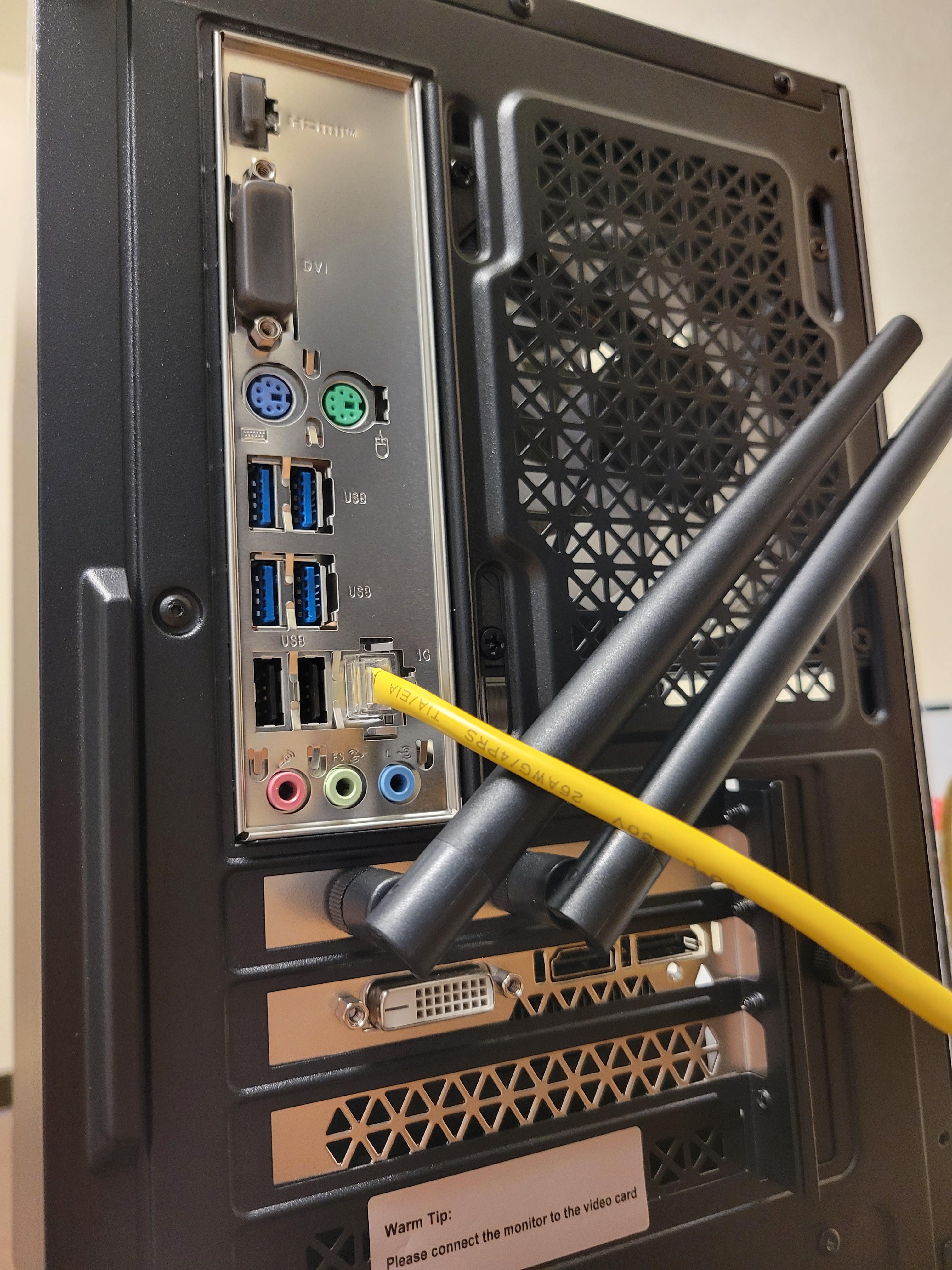
Hello. I'm new to PC and I'm just now getting one set up. I'm trying to plug an HDMI cord into the GPU port but I'm brand new to PC and don't want to screw up. Could someone double-check my ports to see if I'm choosing the correct one?


r/pcmasterrace • • 54m ago

Question Aorus Master bracket

Thumbnail
gallery
• Upvotes

I have been kicking my self trying to install the included GPU sag stand on the Lian li Lancool infinity 217 when installing 3 intake fans on the bottom, everything gets blocked off and there is a metal piece between the the fans and where this stands needs to screw to the GPU. The temporary solution I found was to use so standoffs to compansate for that extra space but my stand offs only go in so far before I damage those predrilled holes.

Anyone else encountered this problem and maybe came up with a better solution or is a horizon bracket my only real solution?


r/pcmasterrace • • 55m ago

Question How can I properly clean my peripherals?

• Upvotes

Hello, everyone! To be precise, I just got my first peripherals for gaming, and (hopefully )soon, I'm getting my first gaming laptop: I currently have a keyboard, a mouse and a mouse pad. I'm very happy with what I bought, since I saved a lot to get exactly what I wanted, however, I want to make these gadgets last for a lot. I want to properly take care of them as best as I can.

I know that I should use isopropyl on a 70% to clean the keycaps and mouse, and use dish soap for the mouse pad, but I would like to know if there is more to it and that I can apply. For example, how often do I have to clean them to keep them in optimal conditions? My mouse has rubber gums where my thumb lays down, so, would applying isopropyl on the gums would damage them? How much isopropyl should I use, how do I learn to do it carefully? I also store my devices on their original packages once I finish using them for the day, so they don't get dust. Is that a good measure or is it a bit extreme? What advice can I use for my case? Thank you so much for your feedback!


r/pcmasterrace • • 56m ago

Tech Support EVGA RTX 2070 making weird grinding noises

Enable HLS to view with audio, or disable this notification

• Upvotes

I just replaced my old graphics card with this one and it's making this grinding type noise when I'm playing something that kicks off its fans. I checked and I don't see any wires in the way of the fan so I'm not too sure. I also did have to increase the volume of the video a good bit to hear it because my phone doesn't pick up audio well, but it's still noticeable even without the increase. Did I install it wrong or something? Any help would be greatly appreciated.


r/pcmasterrace • • 1h ago

Question Is this cooler overkill? What is the lower temperature that your pc had?

Thumbnail
gallery
• Upvotes

Honestly, i think it is, but I like it and for being my first build, I don’t see any issue. It Does sound like a jet engine when it’s on but i don’t mind, i like my pc coooool. The lowest temp that i got was actually 28 degrees for cpu and 29 for gpu.(see photo) Also should I get a Gpu stand or whatever it is called?


r/pcmasterrace • • 1h ago

Discussion I crunched the Steam Hardware Survey numbers to see what percentage of PC gamers actually have a GPU stronger than a PS5.

• Upvotes

So we've seen that one popular meme everyone reposts to death, so it got me kinda curious, how many steam users have a more powerful PC than a PS5?

We can make a few observations here:

  1. 51.1% of listed GPUs are strictly faster than the PS5 (and this is primarily due to how popular the 50 series GPUs have become).
  2. 61.8% of listed GPUs are PS5-Tier or better.
  3. Only 29.8% is slower. Most of which are quite old pre 20 and 30 series GPUs.
  4. Out of the top 15 most popular GPUs, 11 are faster, 2 match, and only 2 are slower (GTX 1650 and RTX 3050).

Some misc information:

  1. The target specs for the PS5:
    1. Compute: 36 RDNA 2 Compute Units @ variable clock up to 2.23 GHz (10.28 TFLOPs FP32).
    2. Memory: 16 GB GDDR6 unified memory on a 256-bit bus (448 GB/s bandwidth; ~12.5 GB allocated to games).
  2. I used some LLMs to run a market study on what actually matches a PS5's performance, and most sources (Digital Foundry, Hardware Unboxed, etc.) confirm the PS5 is roughly equivalent to a desktop RTX 2070 / RTX 3060 12GB or RX 6600 XT / RX 6650 XT.

Some things regarding the data that you should know:

  1. Valve bundles all GPUs holding less than 0.15% market share as "other". These are generally ancient GPUs and laptop iGPUs, and they totaled upto 8.133%. I ran a quick stress test for funsies and assumed all of these GPUs are potato PCs, the results showed 61.80% of Steam still matches or beats the PS5.
  2. Another black sheep are the laptop GPUs. Steam doesn't specify what wattage these laptop GPUs are (some could be ultra efficient 45W GPUs or others a more powerful 115W - 160W). To solve this I once again used an LLM to effectively scan large-scale testing databases like Notebookcheck and 3DMark, and the data has shown that the vast majority of these gaming laptop GPUs comfortably sit between 85W to 105W. So using say an RTX 4060 laptop GPU for example, a 90W - 105W variant performs roughly on par with a desktop 3060, and thus I catgeorised it as being on par with a PS5. It's not perfect, but it gets the job done.
  3. The VRAM limitation. PS5 has roughly 12.5 GB of dedicated fast memory for game assets. However many entry/mid-range modern PCs that may exceed the PS5 in raw compute, have lower VRAM (eg: 8gb). So while they can beat the PS5 at 1080p, they might struggle in 1440p or higher (a mix of VRAM limitation and also just straight up bad PC ports, Final Fantasy 16 for example).
  4. Also note that the hardware survey is opt-in. Many gamers may choose to never opt-in, and it's randomised every month. So fluctations can happen monthly.
  5. And finally, this is a GPU comparison. People might have a crappy CPU in combination with a more powerful GPU. I haven't factored that into the comparison. However we can reasonably believe that most gamers have decent enough CPUs regardless (most common are 6 and 8 core CPUs, which comfortably trade blows with the PS5's relatively weak CPU).

Overall, the PS5 is 6 years old now. Gamers have had basically half a decade to upgrade their systems. So the PS5 understandably does not beat most gaming setups today.

Thank you!

Also if someone already beat me to the punch and did a similar breakdown, my bad lol. Let me know what you guys think.

Edit: Holy smokes people are heated. Just to clear up I made this for funsies because I was curious, not particularly trying to ignite a PC v Console war.

Edit 2: Looks like people are mad over AI usage. Just to be clear AI was only used in two areas (I've already mentioned them in the post explicitly), market study to find an equivalent range of GPUs to the PS5, like the AMD 6600s, and also find the most common laptop TDPs via large benchmark datasets. The visuals are done in matplotlib purely by me using various templates I snagged online (and AI assisted coding to iron out some of my shitty graphs and make them look better).


r/pcmasterrace • • 1h ago

Build Help / Purchase Advice Case

Thumbnail
gallery
• Upvotes

I'm looking for a case for my PC. It shouldn't be too big, but also not too small. I want one in black, similar to the one in the picture.


r/pcmasterrace • • 1h ago

Discussion PSA: Treat your wishlist as an extension of your library

• Upvotes

For the sake of your wallet. If you feel the itch to impulse buy, if you got a bit of FOMO, just wishlist it and pretend you bought. Every few weeks or so, review your list and see if you still feel the same about those games. This also gives some time for patches.


r/pcmasterrace • • 1h ago

Tech Support CPU overheating

• Upvotes

Hey I recently built this pc a couple months ago everything was working well until recently my cpu started overheating as soon as I booted it up the temp of the cpu will reach 95-100 degrees then after 30 seconds it will shut off. Does anyone know what might be the problem or how to check if the aio cooler is working all the fans turns on and the display of the cooler does too I already tried reapplying new thermal paste but it still has the same issue.

This is my build https://pcpartpicker.com/list/wbyD9C

Any help will be appreciated thank you


r/pcmasterrace • • 1h ago

Tech Support Did I plug this In right?

Post image
• Upvotes

r/pcmasterrace • • 1h ago

Discussion Kinda regret buying 5080

Post image
• Upvotes

Feel like i overspending. Buying this for $870 back then (used) i upgrading from 4060. I got 700fps on counter strike but it feels like a waste. Should just buy 9060 xt when is still very cheap. Also it seems like 5080 doesn’t hold the value very well, better sell it before the price drop.


r/pcmasterrace • • 1h ago

Discussion 5070ti to a 5080

• Upvotes

Last year I bought a prebuilt with these specs for a out the door price of 1,819$

Gigabyte 5070ti
Intel i7-14700f
32gb DDR5 6000MTs
2TB nvme
Gigabyte B760M C V3 MOBO
850w psu

With prices increasing I’ve been keeping an eye out for a 5090, and or a 5080.. recently spotted a PNY 5080 near me for less than $1,600.. Im thinking that if I purchase that 5080, and wait for 5070ti prices to most likely inflate.. I can essentially “trade” GPUs. Selling the 5070ti for close to/exactly the same price I would buy the 5080 for.. it might take a couple months but prices do not seem to be coming down.

If the 5070ti doesn’t go up, I can just resell the 5080 for exactly what I paid (hopium)

Im happy with my 5070ti but is this a justified way of thinking?


r/pcmasterrace • • 1h ago

Question What is the point of DLSS/FSR for high-end GPUs?

• Upvotes

I know this has been asked before but I never stuck around for an answer.


r/pcmasterrace • • 1h ago

Build Help / Purchase Advice I’ve never heard of this company

Post image
• Upvotes

Are these even any good? Just pulled it out of an old build I had from Covid era. Putting together a new build and wondering if I should reuse these


r/pcmasterrace • • 1h ago

Game Image/Video KytyPS5 (PS5 Emulator) - UFC 5 #2 (9800X3D + RTX 4080)

Thumbnail
youtube.com
• Upvotes

Latest build (when I made the video) by Cozmaaa.
Good performance boost, but it still has shader issues and is unstable.